thumbnails
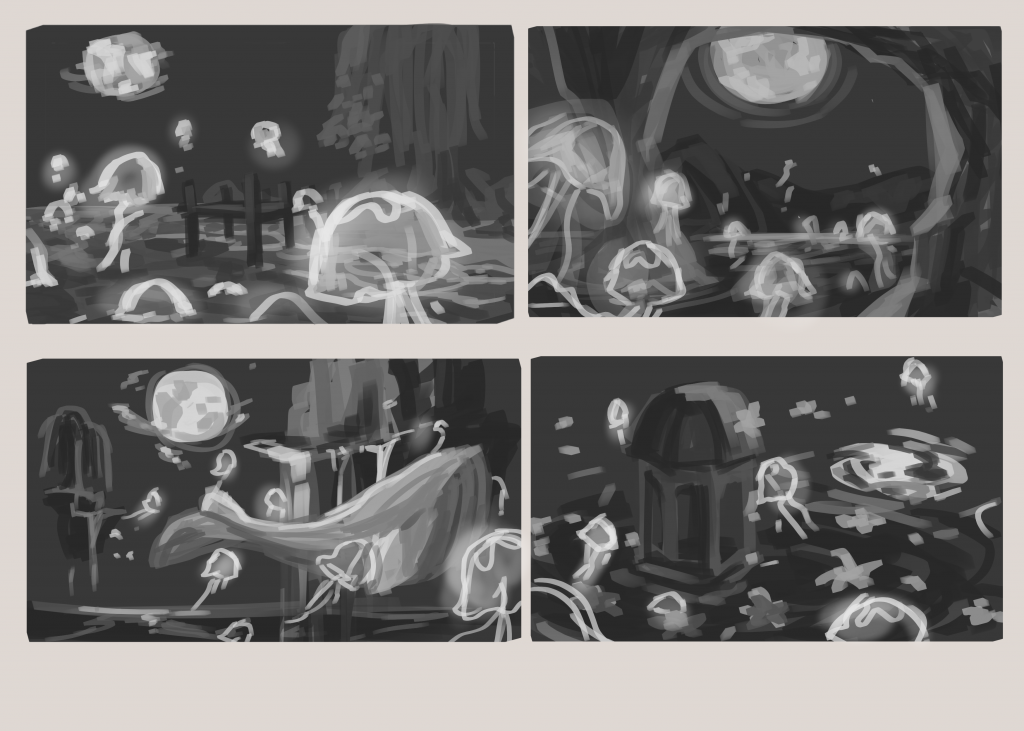
first set of thumbnails: wasnt too sure what i was going for yet. all the elements from the last blog are here: minimal structure, mostly natural landscape, lots of water and water creatures. i wasnt thinking too much about composition and just slapped down what i thought was cool.
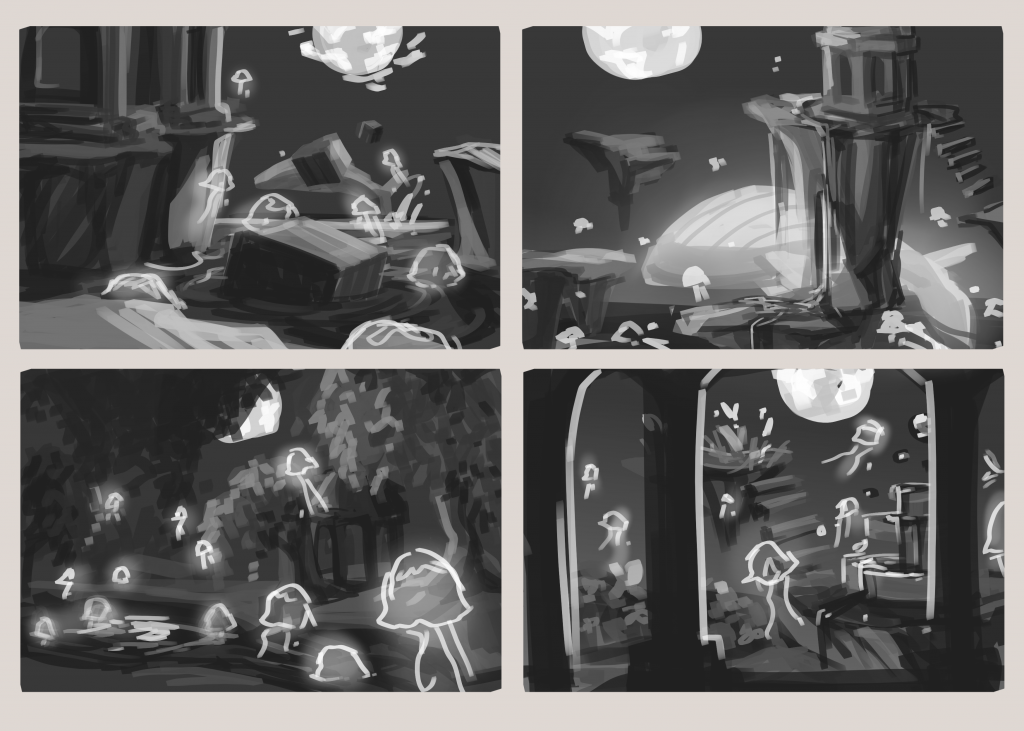
second set: cut back a little on the jellyfish presence, still mostly things i thought was cool without too much thought to composition. the foreground gazebo seems to make an interesting shape cut out for the rest of the scenery. could also tie in to the gazebo shape in the top right image (for the 3 image requirement
i want to refine the bottom right image but im struggling really bad with perspective LOL
objectives
- create asset list of what will be in scene
- make silhouette of assets
- write in theme when giving thumbnails for review
- try adding minimal color: ie to sky
- god pls at least learn how to use 2point perspective. i understand it in concept but trying to get it to work is really difficult
notes:
when doing grayscale, color value of rgb should all be the same number
now me personally i feel like manual selection despite it being slightly slower is leagues better than whatever the hell ai magnet selects got going on bc you still need to go back and tweak it afterwards which is basically about the same time. especially if the edges are straight like the buildings hes showing
removing the details of an image via blocking out the foreground/midground/background can help visualize perspectives
literally all these strange photoshop functions are so much more intuitive in krita
use levels to make sure the rgb in your photobash is similar
i cant believe the select outline is called crawling ants… thats such an ugly name just call it the select outline
tree construction workshop
its a class that teaches us how to manipulate different preexisted 2d assets into a new original ideation. focus on the photoshop move and transform tools? i dont think i ended up saving the tree i did since it was on the school computer but it was harder than i thought. id like to revisit the idea of creating via preexisting assets maybe some other time.
go to filter gallery to try out filters on photoshop…
using offset filter on photoshop helps with variety of tileable images like brick work
Leave a Reply